
- About Us

We 365 Admin Support, just simplify your IT problems
Call for a free support. +91 96666 59505Platform Partnership





OpenAI has announced a new update for the ChatGPT mobile app, which introduces the much-awaited Thinking time toggle, known as the model’s “juice.”
Previously, when you switched on Thinking in ChatGPT for Android, your requests would default to ‘Standard’ thinking mode, which requires less computational power and isn’t set up for extended periods of thought.
In contrast, when using the desktop version, users can choose between ‘Standard thinking’ and ‘Extended Thinking’ modes.

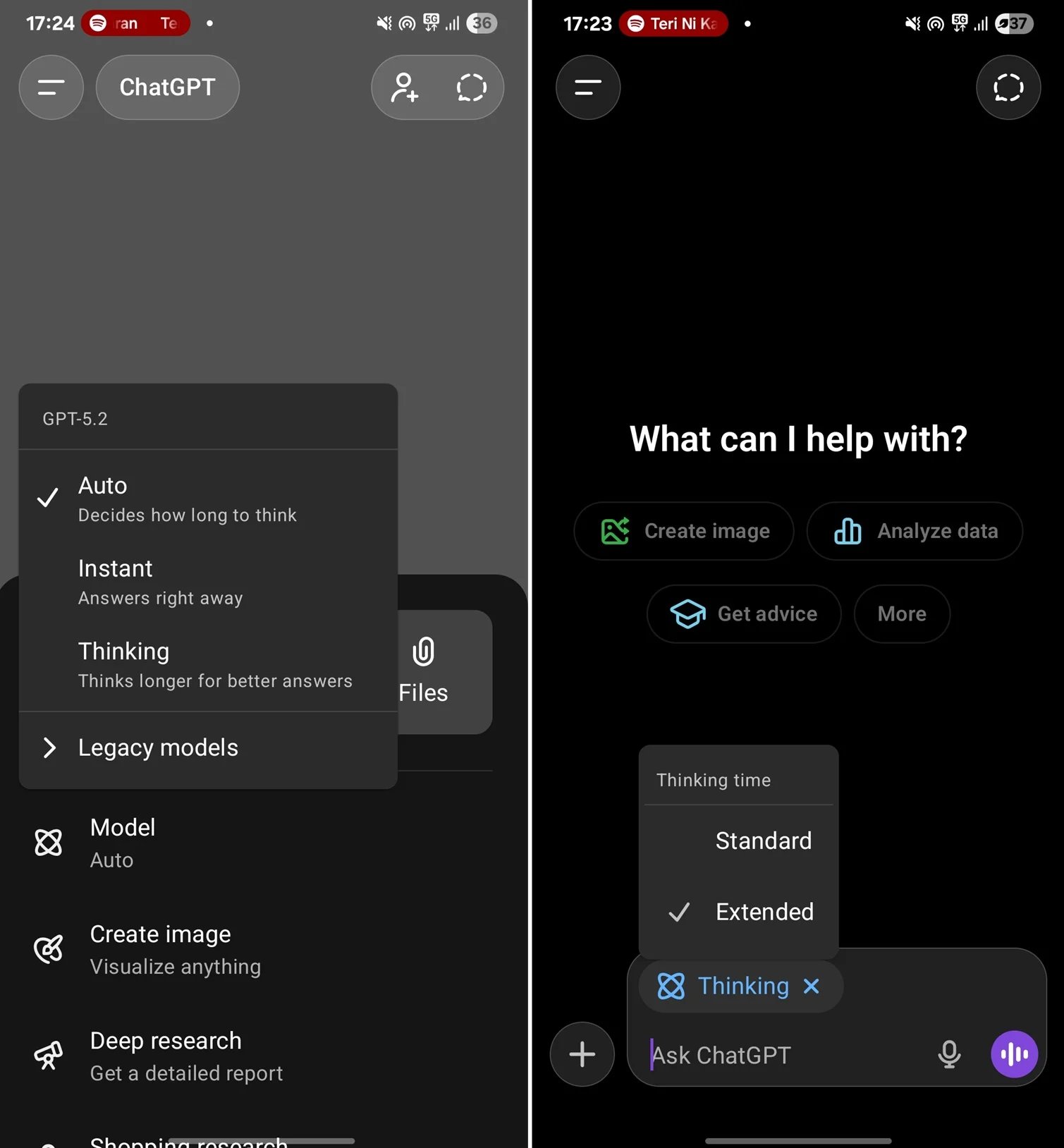
Extended Thinking mode offers more computational capacity, resulting in deeper analytical responses that are particularly helpful for tackling complex queries.
This feature is exclusively available to ChatGPT Plus subscribers, while users on the Go subscription do not have the option to adjust Thinking capacity.
For desktop users, OpenAI has introduced ‘formatting blocks,’ which enhance the layout to better align with specific tasks.
Previously, if you asked GPT to compose an email, the output was displayed like any other standard response.
While this functionality didn’t diminish GPT’s capabilities in comparison to other large language models, it wasn’t the most user-friendly interface. OpenAI aims to enhance this experience with a new feature that adapts the user interface automatically to suit the task.
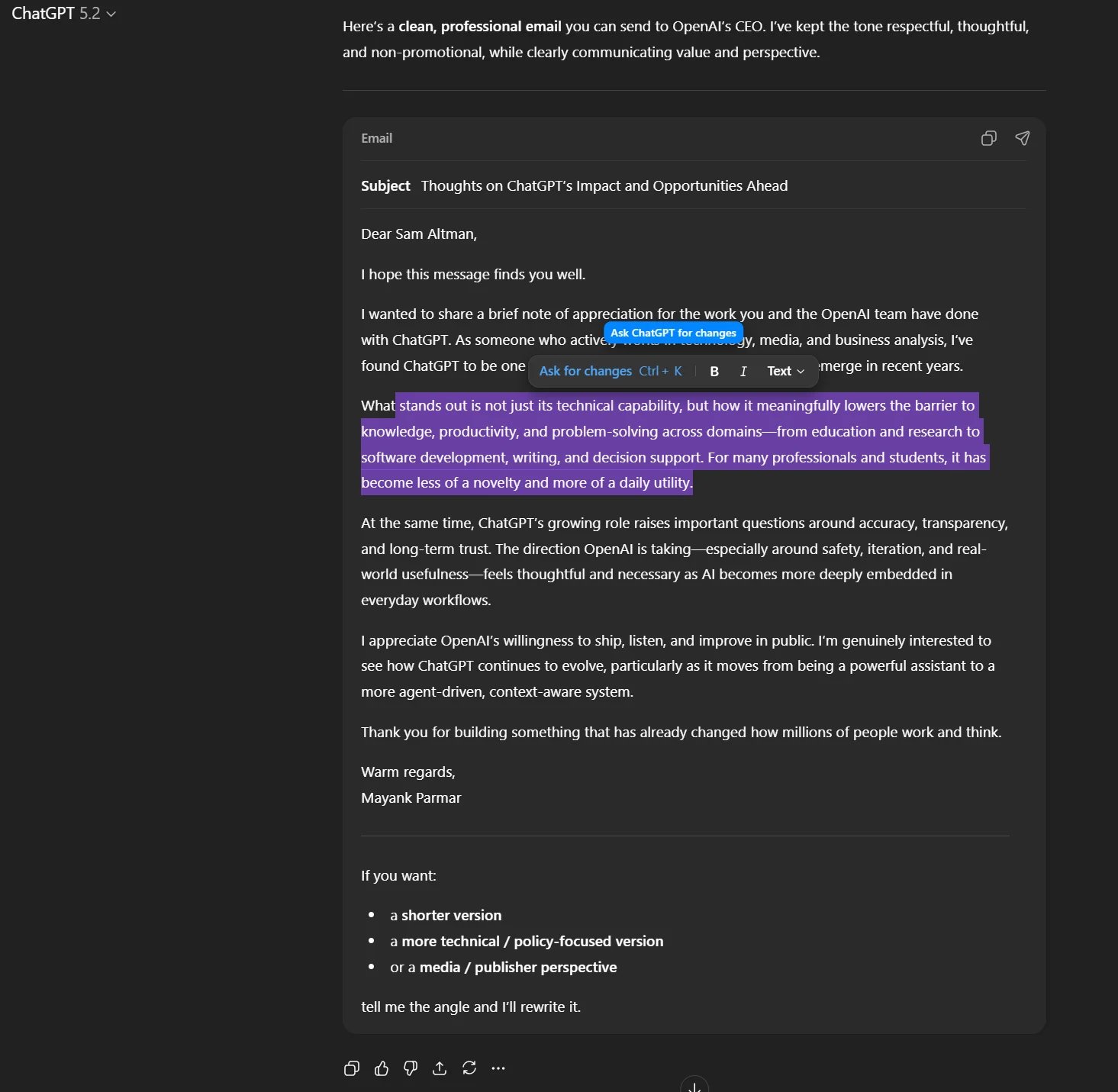
The newly added “formatting box” essentially operates as a mini editor toolbar that appears when you highlight text in ChatGPT’s enhanced rich-text environments (such as email drafts or writing projects).
All these innovations are gradually being rolled out in the ChatGPT application.

Issues with Identity Access Management (IAM) aren’t just IT concerns; they impact the entire organization.
This comprehensive guide offers insights into why traditional IAM strategies may fall short in today’s environment, examples of effective IAM solutions, and a straightforward checklist to create a robust strategy.


